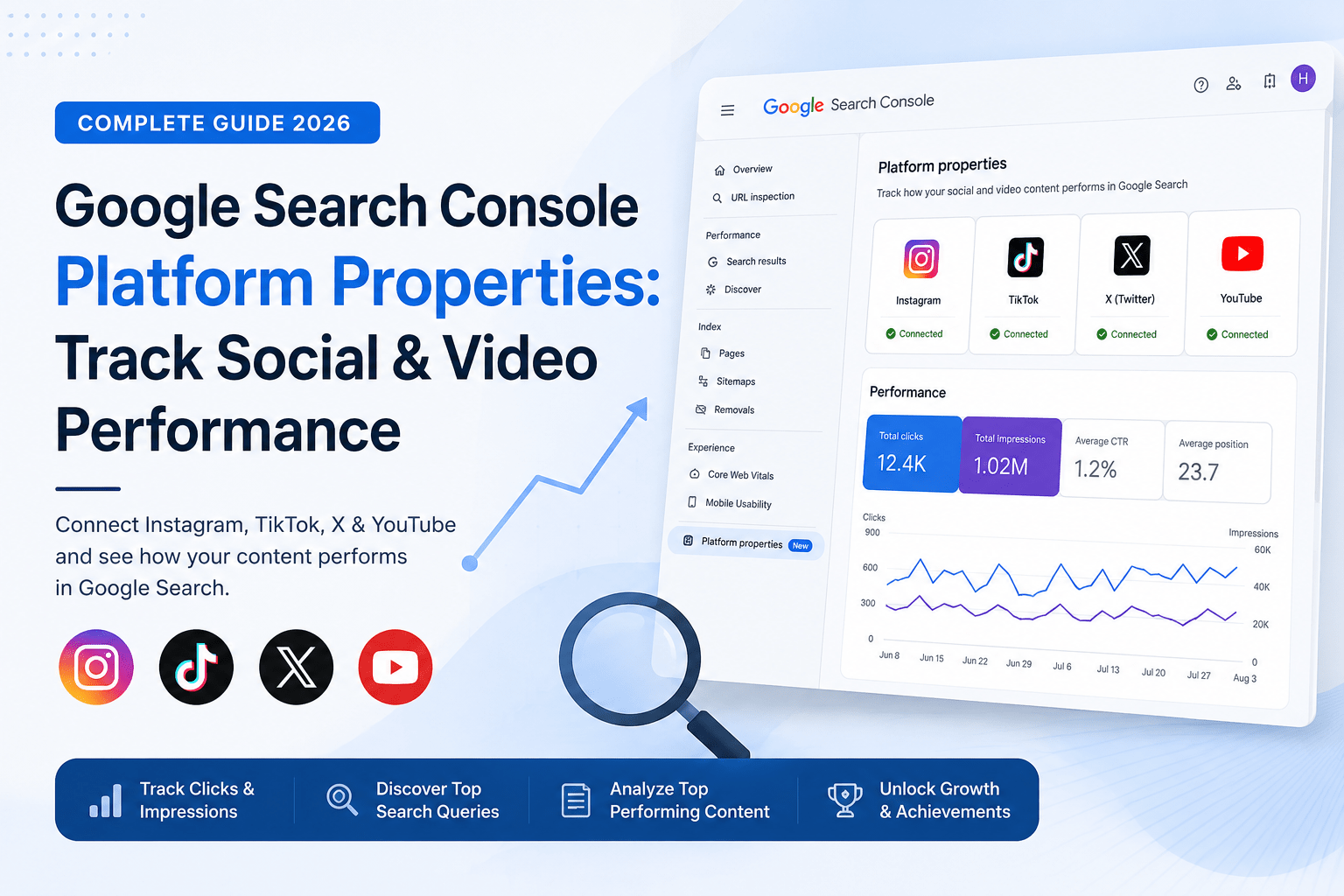
Google Search Console for Social Media: Complete Guide
Google Search Console has traditionally been a tool used by website owners to monitor how their websites perform in Google Search. However, Google has recently introduced a major update called Platform Properties, allowing creators, marketers, businesses, and SEO professionals to track how their social media content performs directly within Google Search.This means you can now connect supported platforms such as Instagram, TikTok, X (formerly Twitter), and YouTube to Google Search Console and gain valuable insights about impressions, clicks, search queries, and audience engagement.For SEO professionals, this is one of the most important updates in recent years because it reflects Google's growing focus on indexing and ranking content beyond traditional websites.In this guide, you'll learn exactly what Platform Properties are, how to connect your accounts, and how to use the available reports to improve your visibility in Google Search.
Platform Properties are a new Search Console feature that allows users to monitor the performance of content published on supported social and video platforms.Previously, website owners could only access Search Console data for domains they owned and verified. With this update, creators can now understand how their content performs on platforms they do not directly host.Currently, Google supports:InstagramTikTokX (Twitter)YouTubeOnce connected, Search Console provides detailed reporting about how users discover your content through Google Search.
Why This Update Matters for SEO
For years, SEO primarily focused on ranking webpages.Today, search behavior has evolved significantly.Users search for:Instagram postsReelsTikTok videosYouTube ShortsSocial media profilesBrand accountsGoogle increasingly displays this content directly in search results.As a result, businesses that optimize only their websites may miss significant visibility opportunities.Platform Properties help bridge this gap by showing how social content contributes to overall search visibility.Benefits include:Understanding which social posts appear in Google SearchIdentifying high-performing topicsDiscovering new keyword opportunitiesTracking clicks and impressionsMeasuring social SEO performance
How to Connect Social Media Accounts with Google Search Console
Step 1: Open Google Search Console Log in to your Google Search Console account.From the property selector menu located at the top-left corner, click Add Property.This will open the property verification interface.
Step 2: Select a Platform PropertyGoogle currently offers four supported platform options:InstagramTikTokXYouTubeChoose the platform you want to connect.For example, if you want to analyze how your Instagram content performs within Google Search, select Instagram from the available options.
Step 3: Complete VerificationAfter selecting your preferred platform, follow the on-screen instructions.Google will ask you to authorize access securely through the selected platform.The process generally involves:Logging into your social account.Granting permissions.Confirming ownership.Completing authorization.Once verification is successful, the platform property will appear in your Search Console dashboard.
Understanding the Performance Report
One of the most valuable reports available after verification is the Performance Report.This section shows:Total ClicksTotal ImpressionsAverage CTRTraffic TrendsTop Performing PostsSearch QueriesYou can filter data by:Date rangeContent typeSearch queriesSpecific postsFor example, if an Instagram Reel receives impressions from searches related to "SEO Tips for Beginners," Search Console will show the exact keyword responsible for generating visibility.This data can help creators build content around proven search demand.
Understanding the Insights Report
The Insights Report provides a simplified overview of performance trends.This report highlights:Top Performing ContentYou can quickly identify which posts generated the highest visibility and engagement through Google Search.Audience DiscoveryLearn how users are finding your content.This helps marketers understand what topics and keywords are driving growth.Traffic TrendsAnalyze whether your visibility is increasing or decreasing over time.This information is particularly useful when evaluating content strategies. Google has also introduced an Achievements section.This feature celebrates milestones and growth benchmarks.Examples include:Reaching a new click thresholdIncreasing impressions significantlyAchieving consistent growth over timeWhile achievements may seem simple, they help creators monitor long-term progress and identify successful strategies.
How SEO Professionals Can Use Platform Properties
The real power of Platform Properties comes from combining social media data with traditional SEO strategies.Keyword ResearchSearch Console reveals the keywords driving visibility to your social content.You can use these insights to:Create blog postsBuild landing pagesDevelop video contentOptimize future social postsContent Gap AnalysisIf a keyword performs well on Instagram but lacks website content, you can create dedicated webpages targeting that search intent.Topic ValidationInstead of guessing what users want, use actual search data to validate content ideas.Brand Visibility TrackingMonitor how your brand appears across multiple platforms within Google's ecosystem.This creates a broader understanding of your search presence.
The Future of Search Is Beyond Websites
Google's introduction of Platform Properties signals a major shift in how search visibility is measured.SEO is no longer limited to websites.Brands now need visibility across:WebsitesYouTubeInstagramTikTokXGoogle Business ProfilesThe businesses that understand this change early will gain a significant competitive advantage.Rather than treating social media and SEO as separate channels, marketers should view them as part of one connected search ecosystem.
Final Thoughts
Google Search Console Platform Properties represent one of the most exciting developments in modern SEO.By allowing creators and businesses to monitor the performance of Instagram, TikTok, X, and YouTube content directly within Google Search, Google is providing a clearer picture of how users discover content online.If you're serious about growing your brand's visibility, now is the perfect time to connect your social accounts, analyze the available reports, and begin optimizing your content for both social platforms and search engines.The future of SEO isn't just about ranking webpages. It's about building visibility wherever your audience searches, discovers, and engages with content.